You trained your model. You tested it. You picked a winner. So what happens next?
Nothing — unless you deploy a machine learning model so someone outside your notebook can actually use it. A model that only runs on your laptop helps exactly one person: you. That’s the gap this article closes.
This post accompanies Episode 107 of the Intelevo capstone series, “CAPSTONE Part 3: Deployment & Presentation.” If you’ve followed along since Episode 105, you already have a trained, evaluated model sitting in your notebook. Now it’s time to ship it and explain it. Let’s get into it.
Why Deployment Matters More Than You Think
Here’s a hard truth. A brilliant model that never leaves your notebook has zero business value. It doesn’t matter how high your recall score is. Nobody outside your development environment can touch it.
Because of this, deployment isn’t an optional extra step. It’s the step that turns a machine learning exercise into a real product. Similarly, presentation isn’t decoration — it’s how your stakeholders actually understand what you built. Without it, even a great model gets ignored.
So this episode covers both halves. First, we deploy a machine learning model behind a simple API. Then, we translate the results into language a non-technical audience can act on.
The Kitchen Analogy: Why Plating Matters as Much as Cooking
Think back to a cooking competition. A judge tastes several dishes and picks a winner using a fair, consistent method. That’s exactly what happened in Episode 106, when we trained multiple candidate models and scored them honestly on the same test set.
However, here’s the part people forget. The judge’s plate never reaches the guests. Someone still has to plate that winning dish properly, carry it to the table, and describe it so the guest actually wants to eat it.
Deployment is the carrying. Presentation is the describing. Both steps happen after the cooking — meaning after your model is already trained — and both matter just as much as getting the recipe right in the first place.
Three simple moves capture the whole idea:
- Plate the dish. Save the winning model in a form anyone can pick back up.
- Carry it out. Wrap the model in a small API so other programs can request predictions.
- Describe it well. Explain the result in words the audience already understands, with no recipe talk.
What “Deploy a Machine Learning Model” Actually Means
Let’s define this properly. To deploy a machine learning model means packaging a trained model so a program can call it for predictions, without that program needing to see your training code. Presentation, meanwhile, means packaging your results so a person can understand them, without that person needing to read a confusion matrix.
Put together, the flow looks like this:
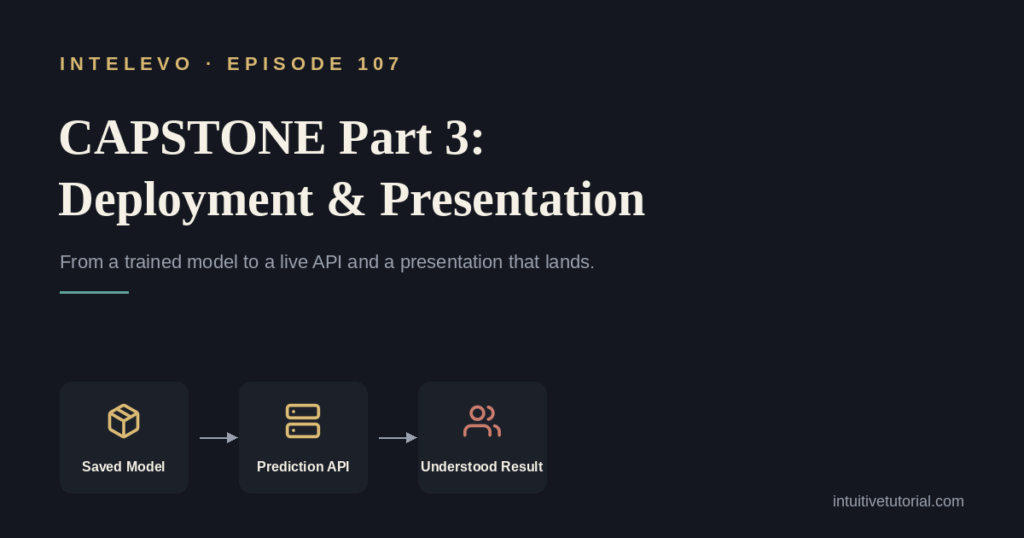
Saved Model → Prediction API → Plain-Language Summary → Understood Result
For example, imagine a churn model. First, you save it with joblib. Next, you serve it behind a FastAPI endpoint. Finally, you present the result to a manager as “three in ten customers this month are likely to leave” — not as “recall equals 0.74.” That last translation step is what makes the whole project land.
Two Halves, Two Audiences
Deployment and presentation aren’t one task. They’re two, and each one speaks to a completely different audience.
Deployment Speaks to Machines
Deployment means packaging the trained model and exposing it behind an interface — typically an API endpoint — so any program can request a prediction. Concretely, that means calling joblib.dump() on the model, loading it inside a FastAPI app, and exposing a /predict route. Once that’s live, any application, dashboard, or script can call it.
Presentation Speaks to People
Presentation means translating what the model does, and how well it works, into language, visuals, and stories your audience can act on. Instead of saying “recall is 0.74,” you say “this model catches three out of every four actual churners.” That sentence needs no statistics background to understand.
From Saved Model to a Presentation That Lands: Five Steps
Here’s the full path, broken into five manageable steps.
- Save the model. Persist your winning model to disk with joblib. Training never has to run again.
- Wrap it in an API. Load that saved file once inside FastAPI, then expose a single
/predictendpoint. - Test the endpoint. Call it with realistic input and confirm the response looks correct, every single time.
- Deploy it. Put the API somewhere reachable outside your laptop. Even a free hosting tier counts.
- Present the result. Turn the metric into a plain-language story your audience already understands.
Notably, deployment is a loop too, just like evaluation was in Episode 106. You save, wrap, test, and deploy — and you don’t call it done until a complete stranger can hit the endpoint and get a sensible answer back.
Realistically, timing varies. Saving and reloading a model takes a few minutes. Your first working FastAPI endpoint takes about an hour. A full afternoon covers cloud deployment plus preparing your presentation. None of these steps demand deep infrastructure knowledge — they demand patience and testing.
The Toolkit: Six Tools That Cover Most Capstones
You don’t need a massive tech stack to deploy a machine learning model. A handful of lightweight tools covers almost every capstone project:
- joblib — saves a trained scikit-learn model to a file and loads it back in a single line.
- FastAPI — exposes a Python function as a web API in minutes, with minimal boilerplate.
- Uvicorn — the server that actually runs your FastAPI app and listens for incoming requests.
- A free host — Render, Railway, or Hugging Face Spaces put your API on the open internet at no cost.
- A simple demo UI — Streamlit, or even a one-page form, gives non-coders something to click.
- A one-page summary — a short doc or slide deck that states the result before it states the method.
Together, these six tools take you from a trained model in a notebook to a working, shareable product.
Hands-On: Saving Your Winning Model
Let’s get practical. Here’s how you persist the model you chose back in Episode 106.
import joblib

# 'candidate' is the winning model chosen in EP106
joblib.dump(candidate, "churn_model.joblib")

# confirm it loads back exactly as saved
reloaded = joblib.load("churn_model.joblib")

sample = X_test.iloc[[0]]
print("Prediction:", reloaded.predict(sample)[0])
So what’s happening here? First, joblib.dump() writes your trained model to a single file on disk. That’s the entire save step. Then, to prove it actually works, you load it straight back with joblib.load() into a new variable. Finally, you grab one row from your test set and ask the reloaded model to predict on it.
If that print statement returns a sensible answer, congratulations — your model is now portable. It no longer needs your training script to exist. It can travel to a completely different machine and still work.
Hands-On: Wrapping the Model in a Tiny API
Next, let’s turn that saved file into a live, callable service using FastAPI.
from fastapi import FastAPI
import joblib

app = FastAPI()
model = joblib.load("churn_model.joblib")

@app.post("/predict")
def predict(features: dict):
    row = [list(features.values())]
    result = model.predict(row)[0]
    return {"churn_risk": bool(result)}

# run with: uvicorn app:app --reload
Let’s break this down. First, you create a FastAPI app and load your saved model once, when the app starts — not on every single request, which keeps response times fast. The @app.post("/predict") line then declares a route. Whenever someone sends a POST request to /predict, your predict() function runs automatically.
Inside that function, the incoming features arrive as a dictionary. You convert those values into a single row, ask the model for a prediction, and return the result as clean JSON — true or false for churn risk. Run this with uvicorn app:app --reload, and you have a live, callable prediction service in fewer than twenty lines of code.
That’s genuinely all it takes to deploy a machine learning model at capstone scale. No Kubernetes cluster required.
Before You Present: Three Checks Worth Doing Every Time
A working API isn’t the same as a convincing presentation. Before you demo anything, run through these three checks.
- The endpoint actually works. Call the live API yourself, right before the demo, using the exact input you plan to show. Don’t trust a test you ran yesterday.
- The jargon is gone. If a slide says “precision” or “F1,” rewrite it as a sentence a non-technical friend would understand.
- The story has an order. Lead with what the model does and why it matters. Explain how it works second, never first.
Here’s a useful rule of thumb: if you can’t explain what your model does in one plain sentence, you’re not ready to present it. You’re still working on the explanation — and honestly, that’s the harder, more important skill.
Three Traps First-Timers Fall Into
Even experienced learners stumble on these three mistakes:
- Demoing without testing. Presenting an endpoint that was never called live before the audience arrived is a common, avoidable failure.
- Leading with the metric. Opening with “recall was 0.81” instead of explaining what that number means for the audience loses people in the first ten seconds.
- No plan for bad input. Letting one malformed request crash the whole API mid-demo undermines everything else you’ve built.
Avoiding these three traps takes minutes of preparation. Skipping that preparation costs you the whole room.
Why This Discipline Actually Matters
Consider the difference between a model without deployment discipline and one with it.
Without deployment discipline, your model only runs inside your notebook, on your machine. A metric gets read aloud and met with blank stares. An unexpected input silently crashes your script. “Trust me, it works” becomes your entire pitch.
With deployment discipline, any program can call your API and get a prediction back. Your result becomes a plain sentence anyone can act on. The API validates input and fails with a clear message instead of crashing. A live demo, paired with a simple explanation, does the convincing for you.
That difference is the entire point of this episode.
What’s Next: From Capstone to Deep Learning
This wraps up the three-part capstone project. Across Episodes 105 through 107, you framed the question, trained and evaluated multiple models, and now, deployed and presented a winner. That’s a complete, end-to-end machine learning project — start to finish.
Episode 108 steps back and maps the full journey. It reviews every technique covered across this series and points the way forward from classical machine learning into deep learning. If you’ve enjoyed building real skills step by step, that episode ties everything together.
Frequently Asked Questions
Do I need to know Docker or Kubernetes to deploy a machine learning model? No. For a capstone project, joblib plus FastAPI plus a free hosting tier is enough. Containers and orchestration matter at large scale, but they aren’t a prerequisite for shipping your first working API.
What if my model needs many input features, not just a few? The same pattern still applies. Your /predict function simply reads more keys from the incoming dictionary. Just make sure your presentation still boils the result down to one clear sentence, regardless of how many features feed the model underneath.
Should I deploy before or after I finish my presentation slides? Deploy first. You want a working, tested endpoint before you build slides around it. Otherwise, you risk designing a presentation for a service that doesn’t actually behave the way you assumed.
How do I know if my explanation is simple enough? Try it on someone outside your field. If they can repeat back what your model does, in their own words, after hearing it once, your explanation works. If they ask you to define a term, simplify further.
What’s the difference between deployment and MLOps? Deployment is the specific act of making your model callable — saving it and exposing it through an API. MLOps is the broader discipline of monitoring, retraining, and maintaining that model over time. For a capstone project, deployment is the right scope. MLOps becomes relevant once a model runs in production for months or years.
Final Thoughts
Deploying a machine learning model isn’t about mastering complex infrastructure. It’s about two disciplined habits: packaging your model so machines can use it, and packaging your story so people can understand it. Master both, and your work stops living only in a notebook. It starts living in the real world, where it can actually help someone.
Watch the full walkthrough on the Intelevo YouTube channel, where every code snippet in this article gets explained live, step by step. If this helped you, please like the video, subscribe for Episode 108, and leave a comment — your feedback genuinely shapes what comes next on the channel.