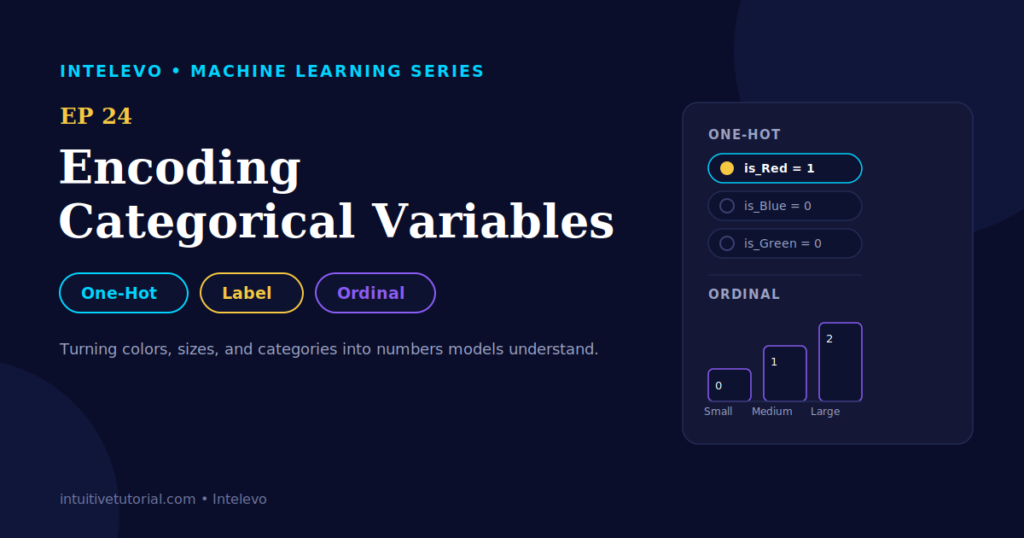
Your dataset has a column called “Color.” It holds Red, Blue, and Green. Your model refuses to touch it. Why? Machine learning models only understand numbers. Text means nothing to them. So, before any model can learn from your data, you need to translate those words into numbers. This translation step is called encoding categorical variables, and it’s the focus of Episode 24 in our Intelevo machine learning series.
This article walks through three encoding methods: one-hot, label, and ordinal. Each one solves a slightly different problem. By the end, you’ll know exactly which one to reach for, and why. Let’s dig in.
Why Encoding Categorical Variables Matters
Every machine learning model, no matter how sophisticated, does one thing at its core: it multiplies numbers. That’s it. Neural networks multiply numbers. Decision trees compare numbers. Linear regression adds up numbers. Consequently, when your data contains text labels like “Small,” “Medium,” or “Large,” the model simply can’t process them.
This is where encoding steps in. Encoding translates category labels into numbers, without losing what those categories actually mean. Get it right, and your model learns real patterns. Get it wrong, and you accidentally teach your model something false. That second outcome happens more often than you’d think, and it’s exactly why this topic deserves its own episode.
Here’s the tricky part. Not every text column deserves the same treatment. Some categories carry a natural order, while others don’t. Treat them the same way, and you risk injecting a relationship into your data that simply doesn’t exist. Consequently, choosing the right encoding method isn’t just a technical formality. It directly affects how well your model performs, and how trustworthy its predictions become.
Meet the Analogy: A T-Shirt Store
To keep this concept intuitive, imagine a t-shirt store. The store’s computer system only tracks inventory by number. Every t-shirt has two properties: a color and a size. Both need to become numbers before the system can use them. However, these two properties behave very differently, and that difference is the key to this entire topic.
Consider color first. A t-shirt can be Red, Blue, or Green. No color outranks another. Red isn’t “more” than Blue. There’s no natural order here at all. This type of category is called nominal data.
Now consider size. A t-shirt can be Small, Medium, or Large. Here, order matters. Small truly is less than Medium, and Medium truly is less than Large. This type of category is called ordinal data.
That single distinction, nominal versus ordinal, determines which encoding method you should use. Keep it in mind as we move forward.
The One Question That Decides Everything
Before choosing an encoding method, ask yourself this: does one category naturally rank higher than another?
If the answer is no, you’re dealing with nominal data. Colors, cities, brand names, and blood types all fall into this bucket. Since no ranking exists, one-hot encoding is your best choice.
If the answer is yes, you’re dealing with ordinal data. Sizes, ratings, education levels, and spice levels all belong here. Since a real order exists, ordinal encoding fits naturally.
This one question will save you from most encoding mistakes. Now, let’s look at each method in detail, starting with the simplest one.
Method 1: Label Encoding
Label encoding is the quickest shortcut available. It assigns each category a number, typically in the order the categories first appear. For our color example, Red becomes 0, Blue becomes 1, and Green becomes 2.
Here’s how it looks in Python, using scikit-learn:
from sklearn.preprocessing import LabelEncoder

encoder = LabelEncoder()
df['color_label'] = encoder.fit_transform(df['color'])

print(df[['color', 'color_label']])
#    color  color_label
# 0    Red            0
# 1   Blue            1
# 2  Green            2
Notice how compact this is. Three lines of code, and your text column becomes a number column. Fast, right? Unfortunately, speed comes with a serious catch, and you need to understand it before using this method.
The Hidden Trap in Label Encoding
Here’s the problem. When Red equals 0, Blue equals 1, and Green equals 2, the model reads something unintended into those numbers. It assumes Green is somehow “twice” Blue. It also assumes Green sits farther from Red than Blue does. But colors don’t have distance. They don’t have magnitude. That entire relationship is fabricated, and your model doesn’t know it’s fake.
This mistake creates real damage. Imagine a model that predicts customer spending based on t-shirt color. If label encoding assigns Green a higher number than Red, the model might wrongly conclude that green-shirt buyers spend more, purely due to the numeric coincidence. That conclusion has nothing to do with reality.
So, when should you actually use label encoding? Two situations work well. First, use it when your data is genuinely ordinal, since the implied order is accurate in that case. Second, use it with tree-based models, like Random Forest or Gradient Boosting, because these models split data based on thresholds rather than distances. They don’t assume Green minus Blue equals Blue minus Red. Outside these two situations, tread carefully.
Method 2: One-Hot Encoding
One-hot encoding solves the false-order problem directly. Instead of cramming every category into a single column, it gives each category its own column. Think of it as a switch: each column is either on, represented by 1, or off, represented by 0. Exactly one switch turns on per row.
Here’s the transformation, visualized as a table:
| Shirt | is_Red | is_Blue | is_Green |
|---|---|---|---|
| #1 | 1 | 0 | 0 |
| #2 | 0 | 1 | 0 |
| #3 | 0 | 0 | 1 |
Shirt #1 is red, so its is_Red column switches on, and the other two stay off. No ranking. No fake distance. Just a clean yes-or-no signal for each category.
In Python, pandas makes this a one-liner:
import pandas as pd

df = pd.DataFrame({
    'shirt': ['#1', '#2', '#3'],
    'color': ['Red', 'Blue', 'Green']
})

one_hot = pd.get_dummies(df, columns=['color'])
print(one_hot)
If you prefer working inside a scikit-learn pipeline, OneHotEncoder from sklearn.preprocessing accomplishes the same task, and it integrates cleanly with other pipeline steps.
The Trade-Off: More Columns
One-hot encoding is safe, but it isn’t free. Three colors become three columns. That’s manageable. However, a “city” column with five hundred unique cities becomes five hundred columns. This situation is called high cardinality, and it can slow your model down considerably.
Thankfully, a few practical fixes exist. First, set drop_first=True when calling get_dummies(). This drops one column safely, since the remaining columns already imply it mathematically. Second, group rare categories into a single “Other” bucket before encoding, which shrinks your column count dramatically. Third, for extremely high cardinality columns, explore alternative techniques like target encoding, which represents categories using statistical summaries instead of separate columns.
Choose based on your dataset size and your model’s tolerance for extra columns. There’s no universal rule here, only trade-offs.
Method 3: Ordinal Encoding
Now, let’s return to size, where a real order genuinely exists. Small is less than Medium, and Medium is less than Large. Assigning Small to 0, Medium to 1, and Large to 2 isn’t a trap this time. It’s accurate. The numeric order matches the real-world order.
Here’s the table:
| Size | Encoded |
|---|---|
| Small | 0 |
| Medium | 1 |
| Large | 2 |
In Python, OrdinalEncoder from scikit-learn lets you define this order explicitly, rather than relying on alphabetical or appearance order:
from sklearn.preprocessing import OrdinalEncoder

size_order = [['Small', 'Medium', 'Large']]
encoder = OrdinalEncoder(categories=size_order)

df['size_encoded'] = encoder.fit_transform(df[['size']])
# Small -> 0, Medium -> 1, Large -> 2
Notice the categories parameter. It lets you specify the exact order you want, rather than letting the encoder guess. This step matters because guessing wrong recreates the same false-order problem we saw with label encoding.
Your Decision Guide
Let’s consolidate everything into a quick lookup table. Next time you encounter a text column, run through this list:
| Method | Best For | Watch Out For |
|---|---|---|
| One-Hot | Nominal data, few categories | Many categories create many columns |
| Label | Tree models, or ordinal data | Implies false order on nominal data |
| Ordinal | Data with a real, known order | You must set that order yourself |
This table alone resolves most encoding decisions. However, edge cases exist, so let’s cover a few common mistakes that trip up beginners.
Common Mistakes to Avoid
First, don’t apply label encoding to nominal data without a second thought. This is the single most frequent mistake among beginners. It happens because label encoding is easy to call, and easy code invites careless use. Always pause and check whether your data is ordinal before reaching for it.
Second, don’t ignore high cardinality. If a column has hundreds of unique values, blindly one-hot encoding it can balloon your feature space and slow down training significantly. Instead, group rare categories first, or explore alternative encoding strategies.
Third, don’t forget to set explicit category order for ordinal encoding. Without specifying the order, some tools default to alphabetical sorting, which rarely matches the true ranking you intend. Always pass the order explicitly, just like in the code example above.
Fourth, don’t encode your target variable the same way you encode features, if you’re working on a classification problem. Target variables often need different handling, depending on your model type and evaluation metric.
Avoiding these four mistakes puts you ahead of most beginners tackling this topic for the first time.
Quick Quiz: Test Yourself
Here’s a scenario. You have a “Movie Rating” column containing G, PG, PG-13, and R. Which encoding fits best?
A) One-Hot Encoding B) Ordinal Encoding C) Leave it as text
Take a moment before reading further.
The answer is B, ordinal encoding. Movie ratings carry a genuine order, moving from least restrictive to most restrictive. Therefore, ordinal encoding preserves that meaningful ranking, while one-hot encoding would needlessly discard it.
Real-World Connections
Encoding categorical variables isn’t just a classroom exercise. It shows up constantly across industries.
In e-commerce, product categories like Electronics, Fashion, and Home get one-hot encoded for recommendation models. Since no category outranks another, this approach fits naturally.
In credit scoring, ratings like Poor, Fair, Good, and Excellent are ordinal, since they carry real rank. Lenders rely on this ranking to assess risk accurately.
On streaming platforms, genres like Action, Comedy, and Drama are nominal. Consequently, they get one-hot encoded for content recommendation systems.
In education analytics, levels like High School, Bachelor’s, Master’s, and PhD form a textbook ordinal case. Each level clearly builds on the previous one.
These four examples demonstrate how frequently this decision appears in real analytical work. Once you internalize the nominal-versus-ordinal question, you’ll spot the right approach almost instantly.
Interestingly, many real datasets mix both types in the same table. A customer dataset might include “Country,” which is nominal, right next to “Membership Tier,” which is ordinal. Therefore, you can’t apply one blanket rule across an entire dataset. Instead, examine each column individually, ask the ranking question, and encode accordingly. This column-by-column discipline separates a clean, reliable dataset from one full of hidden, accidental bias.
What You Can Now Do
Let’s recap everything you’ve learned. First, you can tell nominal from ordinal data simply by asking whether one category outranks another. Second, you can use label encoding wisely, reserving it for ordinal data or tree-based models, while avoiding it elsewhere. Third, you can apply one-hot encoding using a single line of pandas code, pd.get_dummies(), turning categories into safe binary columns. Fourth, you can apply ordinal encoding, setting your own explicit order and preserving real ranking.
Altogether, encoding categorical variables comes down to answering one question, then picking the right one of three techniques. It sounds complicated at first, but once you practice it a few times, the decision becomes automatic.
Coming Up Next: Feature Scaling
Your categorical columns are numbers now. However, a new problem awaits. If one column ranges from 0 to 1, while another ranges from 0 to 100,000, some models will unfairly favor the larger numbers. Episode 25 tackles this exact issue, covering normalization versus standardization. Together with this episode, you’ll have both major preprocessing steps covered before moving deeper into modeling.
Watch the Full Video
This article accompanies the full video walkthrough on the Intelevo YouTube channel, where every method gets demonstrated live, alongside the t-shirt store analogy and additional visual explanations. If you found this breakdown useful, please like the video, subscribe to Intelevo, and drop your questions in the comments. I read every single one.
You can find the video linked in the description box, or pinned as the first comment. Thanks for reading, and see you in Episode 25.