Python OOP Basics: Classes, Objects, and the Four Pillars Explained
Every large Python project relies on one core idea. That idea is Object-Oriented Programming, or OOP. Once you understand Python OOP basics, you start to see code differently. You stop writing scattered instructions. Instead, you build reusable, organized blueprints for real-world things.
This article is the companion guide for Episode 10 of the Intelevo Python Fundamentals series. In the video, we moved from File I/O and Modules straight into OOP. Here, we slow down and walk through every concept again, one step at a time. So, whether you watched the episode or landed here first, you will leave with a clear, working understanding of classes and objects.
Let’s get started.
What Is OOP, Really?
Think of a blueprint for a house. The blueprint itself is not a house. Yet it defines every wall, window, and door a house will have. Now, once a builder uses that blueprint, real houses appear. Each house is separate, but each one follows the same design.
Python OOP basics work the same way. A class is the blueprint. An object is the real thing built from it. This single distinction unlocks everything else in OOP.
Here is a simple example:
class Dog:
    def __init__(self, name):
        self.name = name

    def bark(self):
        print(f"{self.name} says Woof!")

rex = Dog("Rex")
rex.bark()  # Rex says Woof!
Notice what happened here. First, we defined Dog as a class. Then, we created rex as an object, or instance, of that class. Finally, we called rex.bark(), and the object responded with its own name.
So, a class only describes structure. An object brings that structure to life with real data. Because of this separation, one class can produce unlimited unique objects.
Four terms will come up constantly from here on: class, object, attribute, and method. An attribute stores data on an object, like a name or age. A method defines behavior, like bark() or drive(). Keep these four words close. They form the vocabulary of every OOP conversation ahead.
Defining Classes and Objects the Right Way
Now that you understand the blueprint idea, let’s build a class properly. Every Python class starts with the class keyword, followed by a name.
class Employee:
    def __init__(self, name, salary):    # constructor
        self.name = name                 # attribute
        self.salary = salary             # attribute

    def give_raise(self, amount):        # method
        self.salary += amount

emp = Employee("Asha", 50000)   # object created
emp.give_raise(5000)
print(emp.salary)  # 55000
Let’s break this down piece by piece.
First, __init__ is a special method called the constructor. Python runs it automatically the moment you create a new object. Because of this, __init__ is the perfect place to set up an object’s starting data.
Next, notice self appearing in every method. This word confuses many beginners at first, so let’s clear it up now. self simply means “this particular object.” When Python calls emp.give_raise(5000), it silently passes emp in as self. That is how each employee object keeps track of its own salary, separate from every other employee.
Finally, give_raise is a method. It changes the object’s own data using self.salary. Because each object has its own independent copy of salary, changing one employee’s pay never affects another.
This pattern — constructor, attributes, methods — repeats in nearly every Python class you will ever write. Once it clicks, the rest of OOP becomes far easier to absorb.
Four Keywords Every Beginner Must Know
Before moving further, let’s lock in four terms with quick, concrete examples.
__init__() runs automatically the moment you create an object. Think of it as the setup step.
def __init__(self):
    self.x = 0
self refers to the current instance of the class. It lets each object manage its own data.
self.name = name
class defines a new blueprint, or type. Everything else in OOP builds on top of this keyword.
class Car:
    pass
object is one specific instance built from a class. It holds real values, not just structure.
car = Car()
Because these four ideas repeat everywhere, memorizing them early pays off fast. Every future Python OOP concept assumes you already understand this vocabulary.
Why OOP Beats Plain Functions for Bigger Projects
Beginners often ask a fair question. Why not just use functions and variables? After all, functions work fine for small scripts.
However, small scripts rarely stay small. As a project grows, related data and functions scatter across your file. So, tracking which function touches which variable becomes a chore. Bugs creep in. Code becomes harder to trust.
Now consider the same project built with classes. Data and behavior live together, inside one clear structure. An Employee object always knows its own name and salary. A give_raise() method always knows exactly which employee it is changing. Nothing gets lost between disconnected functions and floating variables.
Here is a quick side-by-side comparison:
| Without OOP | With OOP |
|---|---|
| Data and functions live separately | Data and behavior live together |
| Anyone can change variables from anywhere | Attributes stay protected inside objects |
| Hard to model real-world entities | Naturally maps to real-world things |
| Duplicate logic across similar features | Shared logic reused through inheritance |
Because of these advantages, professional Python codebases lean heavily on OOP. Web frameworks, data science libraries, and game engines all organize their code this way. Learning Python OOP basics now prepares you for nearly every advanced tool you will use later.
The Four Pillars of OOP
OOP does not stop at classes and objects. It stands on four foundational pillars. Understanding them transforms how you design software, not just how you write it.
1. Encapsulation
Encapsulation means bundling data and behavior together, inside one class. It also means hiding internal details the outside world does not need to see. So, instead of scattering name, salary, and give_raise() across separate variables and functions, encapsulation keeps them together, neatly organized inside Employee.
2. Inheritance
Inheritance lets one class reuse and extend another class’s code. Instead of rewriting shared logic again and again, a new class simply inherits it. We will see this pillar in action in the next section, because it deserves a full example of its own.
3. Polymorphism
Polymorphism means different classes can respond to the same method call in their own way. For example, a Cat and a Dog might both have a speak() method. Yet each one produces a different sound. The calling code does not need to know which animal it has — it just calls speak(), and the right behavior happens automatically.
4. Abstraction
Abstraction means exposing what an object does, while hiding how it does it internally. When you call .append() on a Python list, you do not need to know how Python manages memory behind the scenes. You just trust the result. Good class design offers that same simplicity to anyone using your code.
Together, these four pillars make code reusable, organized, and far easier to maintain as a project grows. Skip them, and your codebase becomes fragile. Apply them consistently, and your codebase scales gracefully.
Inheritance in Action
Let’s return to inheritance with a full working example, since it is one of the most powerful pillars in daily use.
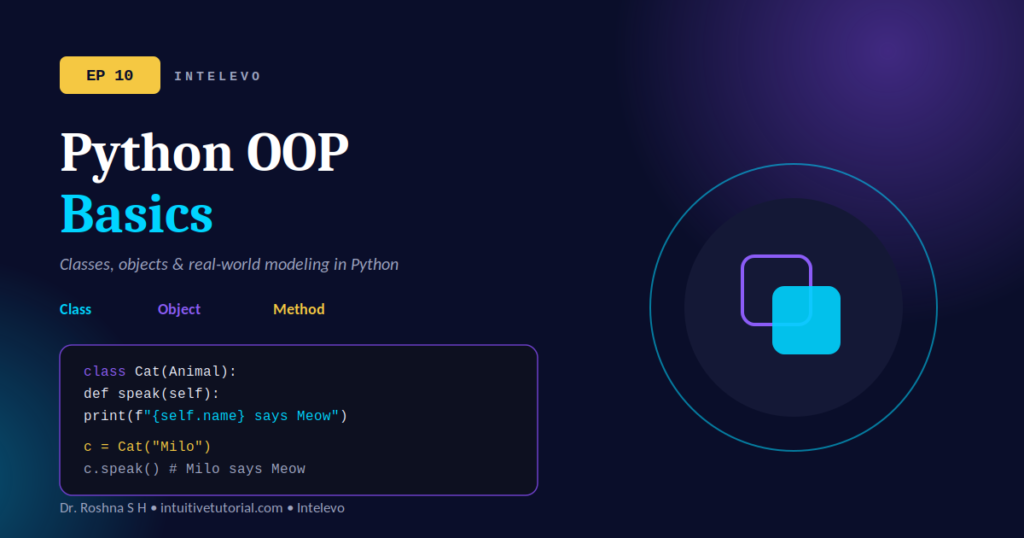
class Animal:
    def __init__(self, name):
        self.name = name

    def speak(self):
        print("...")


class Cat(Animal):
    def speak(self):
        print(f"{self.name} says Meow")


c = Cat("Milo")
c.speak()  # Milo says Meow
Here, Animal is the parent class. It defines a shared name attribute and a generic speak() method. Then, Cat becomes the child class, written as class Cat(Animal):. Because Cat inherits from Animal, it automatically receives the __init__ method and the name attribute, completely free of charge.
However, Cat also overrides speak() with its own version. So, when we call c.speak(), Python uses Cat‘s version instead of Animal‘s generic one. This is exactly how polymorphism and inheritance work together in practice.
Notice three clear benefits here:
- Reuses —
Catgets all ofAnimal‘s code for free. - Overrides — each specific class customizes
speak()on its own terms. - Extends —
Catcan still add brand-new methods thatAnimalnever had.
Because of inheritance, you avoid duplicate code across similar classes. Instead, you write shared logic once, in a parent class, and let every child class build on top of it.
Real-World Patterns You Will Actually Use
OOP is not just theory. It shows up everywhere once you start noticing it.
A bank account, for instance, naturally becomes a class:
class Account:
    def deposit(self, amt):
        self.bal += amt
A car simulation works the same way:
class Car:
    def accelerate(self):
        self.speed += 10
Employee records follow the identical pattern:
class Employee:
    def give_raise(self, x):
        self.pay += x
So, notice the pattern repeating across every example. Each class bundles state — a balance, a speed, a salary — together with behavior that changes that state. This is Python OOP basics applied directly to real systems.
The pattern extends even further. Consider a shopping cart:
class ShoppingCart:
    def add_item(self, item):
        self.items.append(item)
Game players, sensor readings, and user profiles all follow this same shape. Anything with state and behavior can become a class. Once you can see the world this way, you can model almost any system in Python, no matter how complex it eventually grows.
Common Mistakes Beginners Make with OOP
Even after understanding the theory, new Python developers often stumble on a few small, avoidable mistakes. Let’s cover them now, so you can skip the confusion entirely.
Forgetting self in method definitions. Every instance method needs self as its first parameter. Skip it, and Python raises a confusing error the moment you call the method.
# Wrong
def bark():
    print("Woof!")

# Correct
def bark(self):
    print("Woof!")
Confusing the class with the object. Remember, Dog is the blueprint. rex = Dog("Rex") is the real object. You cannot call bark() directly on Dog itself, because Dog alone has no name to bark with.
Overusing inheritance. Inheritance is powerful, yet it is not always the right tool. If two classes only share a little logic, a shared helper function often works better than forcing an artificial parent-child relationship. So, use inheritance when one class truly is a type of another, not just because they share a few lines of code.
Skipping the constructor. Some beginners set attributes outside __init__, scattered across random methods. This makes objects unpredictable. Instead, always initialize your core attributes inside __init__, so every object starts life in a known, consistent state.
Because these mistakes are common, spotting them early saves hours of debugging later. Review your own class definitions against this list before moving on to more advanced OOP topics.
Quick Recap
Let’s summarize everything Python OOP basics covers, step by step:
- A class is a blueprint. An object is a real instance built from it.
__init__runs automatically to set up a new object’s data.selfrefers to the current instance, letting each object manage its own state.- Encapsulation, Inheritance, Polymorphism, and Abstraction form the four pillars of OOP.
- Inheritance lets a child class reuse, override, and extend a parent class.
- Real systems — accounts, cars, employees, carts — map naturally onto classes.
- OOP keeps data and behavior together, which scales far better than scattered functions.
- Watch for common slip-ups: missing
self, confusing classes with objects, and forcing unnecessary inheritance.
Because these ideas build on each other, revisit any section that felt unclear before moving forward. OOP rewards patience. The concepts click faster the second time around.
What’s Next?
You now have a solid foundation in Python OOP basics. From here, the Intelevo Python Fundamentals series moves toward genuinely exciting territory.
EP11 — Into Machine Learning: Where Python fundamentals meet AI, and everything you have learned so far starts paying off.
Classes and objects are not just an academic exercise. They form the backbone of libraries like scikit-learn, PyTorch, and TensorFlow. So, the OOP skills from this episode will follow you directly into your first machine learning models.
Watch the full episode on the Intelevo YouTube channel and explore the complete Python Fundamentals Series at intuitivetutorial.com.